

December 22, 2025
The Modern IVR System Isn’t a Phone Menu – It’s a CX Strategy
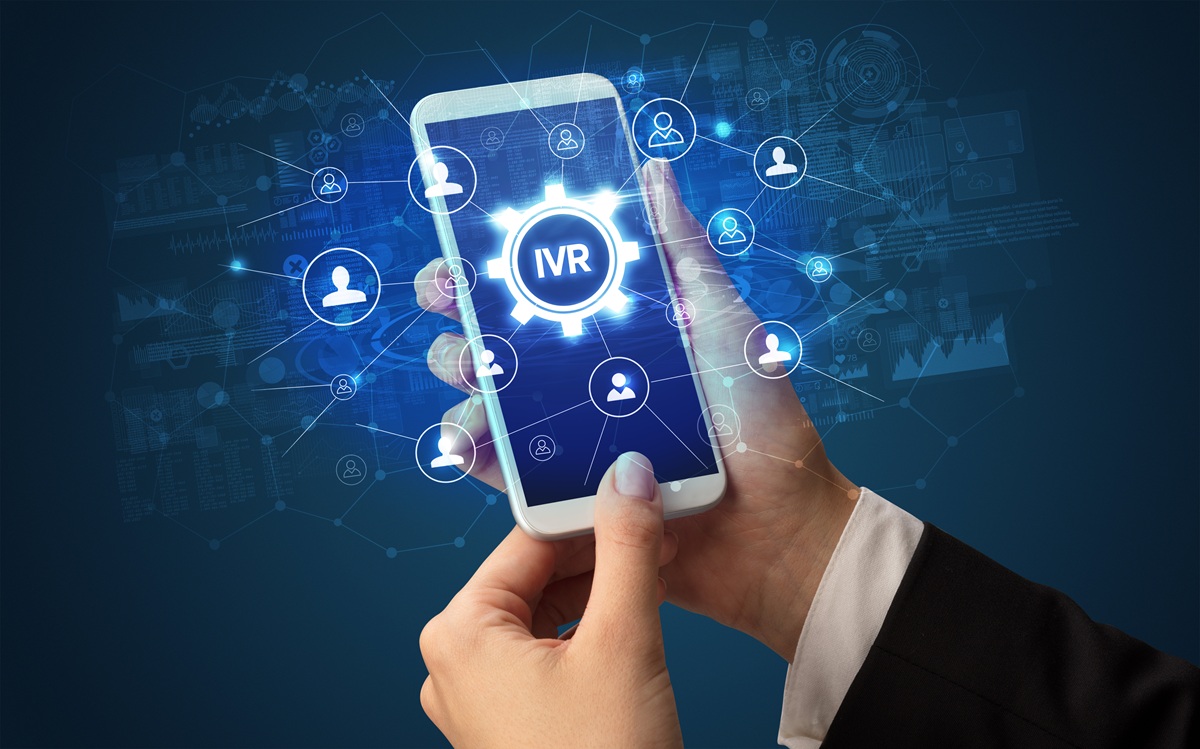
For years, people treated the IVR System like aging infrastructure. It was necessary, a little annoying, and probably ripe for retirement, but the obituary was premature. What used to be a simple “press 1” traffic director has quietly evolved into one of the most strategic tools in customer experience.
Voice hasn’t disappeared just because digital channels exist. In fact, when the issue is emotional, urgent, personal, messy, or expensive, people still call. Even Gen Z (widely assumed to be phone-averse) prefers voice for high-stakes support.
Today’s IVR systems aren’t glorified switchboards. They’re identity checkpoints, automation engines, analytics hubs, fraud shields, routing brains, and, increasingly, AI-driven problem solvers. They sit in the middle of customer expectations that sound simple but are brutally complex to deliver: know me, don’t waste my time, and don’t make me repeat myself.
Implement the right one, and the results are massive. Proper journey orchestration alone can drive 10–20% revenue uplift and cut service costs 15–25%. The IVR system is a big part of that.
What Is an IVR System?
An IVR System is what happens in the space between a customer calling and something actually getting solved.
People think of it as the “press 1 for billing” voice. Contact centers think of it as triage, traffic control, intake, identity check, and data capture, all happening in the first few seconds of a call. In an IVR call center, it touches nearly every customer. Plus, unlike the rest of the org chart, it scales infinitely without hiring, training, onboarding, or supervision.
That’s why companies treat IVR software less like a phone tool and more like infrastructure. It sits in the path of demand: sorting, answering, or routing millions of moments that used to require humans for every single step. Good IVR solutions don’t announce themselves. You only notice the bad ones.
A modern IVR System combines a handful of essential pieces:
- Speech recognition that turns audio into language
- Intent detection that figures out what someone actually wants
- Voice responses that don’t sound taped off a robot in 2002
- Routing rules that decide the fastest path to resolution
- Customer data lookups pulled from CRM or identity tools
- Security checks, including voiceprints in more advanced setups
- Performance tracking, so teams can see what’s breaking, and where
It started with touch-tone menus. Then speech. Then context-aware conversations. Now it’s moving into systems that can carry out entire tasks on their own.
Types of IVR Systems & Their Use Cases
Not all IVR systems deserve the same level of respect. Some are still doing the job they were built for in 1999. Others are practically running a contact center by themselves.
- DTMF / Touch-tone: The classic button mashing experience. “Press 1. Press 2.” Reliable? Sure. Delightful? No. It works when the question is simple and the options are few. It becomes psychological warfare when there are nine menu branches.
- Speech-enabled: You talk, it reacts. In theory, this is a huge upgrade. In reality, it depends on whether the system understands people or just expects people to sound like a dictionary. When it works, callers move faster. When it fails, they mash zero like it’s the emergency exit.
- Conversational AI IVR: This is where things stop feeling like a decision tree and start resembling a conversation. It handles partial sentences, interruptions, background noise, emotion, clarification, and the real way humans speak, which is rarely neat or linear. Containment rates climb here because the system stops demanding perfection.
- Visual IVR: A smart hack for mobile callers. The phone call stays, but the menu escapes the audio loop and pops onto the screen instead. No waiting to hear all five options. No memorizing. You tap. You move. You live your life.
- Omnichannel IVR: The systems that remember context across calls, messages, or chat. Same customer, one experience, less repetition, fewer “can you repeat that?” moments.
- Proactive/Outbound IVR: The calls a business makes on purpose. Appointment reminders, fraud alerts, delivery updates. The kind of automation most people tolerate because it actually saves them time.
The Benefits of a Strong IVR System
A solid IVR System changes the math of a contact center. It turns peaks into predictable work and repetitive questions into solved tickets. Below are the business shifts you can expect:
Scale without adding people
Headcount is the most visible cost a contact center bears. A well-built IVR call center lets you scale interactions without multiplying agents. That’s how modern IVR automation is used in production.
Hallon automated about 65% of front-line questions with conversational automation, shrinking the number of calls that require human attention and changing staffing forecasts. This level of containment means fewer temp hires during spikes and lower long-term headcount pressure.
Higher containment and faster resolution times
Containment is the stat no one argues about. When the IVR handles a call end-to-end, everything else gets easier: queues shorten, agent morale improves, and average handle time drops.
FedPoint saw containment rise from 28.5% to 33.9%, CSAT climb to 98.35%, and average answer speed fall from 35s to 15s during an open-enrolment period. That’s both tactical and strategic: faster answers and measurable customer satisfaction gains.
Fewer transfers, better first-contact resolution
Every transfer is friction. Modern IVR systems route by intent, skill, and even sentiment, which reduces the “pinball” effect of being bounced between queues.
Achmea consolidated multiple legacy IVR systems into a single platform with pre-built apps and business-managed flows. The result: consistent routing across business units, faster deployments, and fewer internal handoffs, a direct hit on operational costs and customer frustration.
Faster, less painful support for technical products
Hardware and technical support calls often balloon because agents spend the first five minutes diagnosing the problem. The right IVR software can pre-qualify issues and pass a short diagnostic to the agent.
Acer used intelligent IVR to capture device details and initial troubleshooting steps before calls reached human techs. The outcome: cleaner agent queues and faster mean time to resolution for product issues. That’s how technical support becomes repeatable.
Better customer outcomes, not just lower costs
Metrics matter, but so does the customer experience. A well-designed IVR system reduces labor cost without degrading quality. Missouri Star Quilt Company’s results are instructive: after moving to a modern telephony stack with custom IVR and skills-based routing, they reported a 95% call answer rate and 97% CSAT, outcomes tied to routing, familiarity, and better internal knowledge routing.
IVR systems help with sensitive situations too. Axis Integrated Mental Health used an IVR-backed contact center to triage callers and route them to appropriate care paths. In environments like healthcare, a correct IVR flow can shorten critical response times and reduce misdirection that would otherwise harm people and reputation.
Automation that preserves human work where it counts
Automation isn’t a replacement strategy. It’s a concentration strategy: automate the boring stuff so agents can focus on judgment-heavy work. That improves agent retention and raises the average quality of handling.
When automation takes the repetitive load, agents deal with escalation-level issues. Quality scores can improve. Training becomes about empathy and escalation, not rote scripts. FedPoint’s case shows this: agent QA rose and graduation rates improved after analytics and IVR changes freed agents from routine volume.
Real-time signals that stop problems earlier
Modern IVR solutions aren’t just routing layers: they’re sensors. They tell you which flows fail, where calls drop off, which prompts confuse people, and which topics spike after a product change.
Tools that feed IVR telemetry into analytics (voice or text) let you spot a broken flow and fix it before it becomes a reputational problem. NiCE’s and Medallia-style integrations show how frontline alerts and IVR telemetry make operations proactive rather than reactive.
Common IVR System Challenges and How to Solve Them
A broken IVR System doesn’t feel like software failure. It feels personal to the caller. When it’s bad, people blame the company, not the tech. And unlike a slow app or glitchy webpage, you can’t “close and reopen” an IVR call center. You’re trapped in it until it works, or you give up.
Here are the failure points that actually cost real money:
- Speech recognition that only works for one kind of voice: Most IVR failures sound like this: “Sorry, I didn’t catch that.” Accent variations, background noise, fast speech, and multilingual callers are daily reality. Train speech models on real call audio, not demo data. Keep DTMF backup paths live.
- Endless menus built by committee: Every department wants a menu option. No caller wants ten. Long trees spike abandonment and zero-out containment. Replace menus with intent-based routing. Let people say what they need. Shorten paths.
- Context resets every time someone speaks to a human: The greatest self-inflicted wound in any IVR solution is making customers repeat themselves. Pass IVR-collected data into screen pops, CRMs, agent desktops, anywhere but the void.
- Automation that can’t handle emotion: People don’t yell at delightful experiences. They yell when systems trap them. Add tone-based routing, fast escalation triggers, and escape hatches that connect to a human without moral negotiation. Emotion-aware routing already exists. Use it.
- Traffic spikes that melt infrastructure: Billing errors, outages, product launches = predictable chaos. Use cloud-based IVR, load testing, and containment-first design so spikes don’t multiply into collapses.
How to Optimize Your IVR System
Let’s get one thing out of the way: optimizing an IVR System is not an IT project. It’s a behavior project, a psychology project, a data archaeology project, and a disaster-prevention project. The technical build is about 30% of the job. The rest is understanding how customers really behave when they’re frustrated, rushed, multitasking, scared, impatient, or done pretending to be calm.
Define success in human consequences
You don’t improve IVR systems by watching averages. You improve them by isolating failure. Key metrics that actually matter:
- Containment rate by intent (not overall containment)
- Transfer reasons (especially repeat transfer reasons)
- Failure exits (when callers bail to an operator or hang up)
- Misrecognition clusters (specific phrases or accents that break the system)
- Silent rage moments (dead air, repeated menu loops, zero input timeouts)
- Repeat call rate within 24/48/72 hours
- Agent resolution delta (how much faster agents resolve calls that came through optimized IVR vs unoptimized paths)
Replace the imagined customer with the actual customer
IVR design fails because companies build for the caller they wish they had, not the caller who actually exists
Actual callers:
- Don’t listen to prompts in order
- Don’t understand your internal taxonomy
- Don’t stay polite when stressed
- Don’t know your product names
- Describe problems emotionally before logically
- Narrate situations like a story, not a ticket
- Answer questions you didn’t ask
- Skip questions you did ask
- Assume the machine knows who they are
- Expect conversational shortcuts
The job of an IVR system is not to teach customers how the business works. It’s to absorb reality as it arrives. Optimization starts with call recordings, transcripts, and failure logs. Not whiteboards.
Decide what must be automated vs what should never be automated
There are two categories of automation:
- Volume that benefits from speed: (password resets, balances, tracking, appointment confirmations, status checks). The good kind.
- Conversations that require trust, negotiation, nuance, or empathy: (refunds, disputes, crises, medical concerns, billing objections, emotional callers). The bad kind.
You don’t push containment unthinkingly. You push containment where automation improves outcomes, not just reduces payroll.
Give your IVR permission to know things
Nothing reveals an outdated IVR System faster than asking customers for data the company already owns. Your IVR should pull:
- Identity signals (ANI, verified device, account link, tokens, biometrics)
- Most recent interactions
- Open cases, unresolved issues, cited dissatisfaction
- Purchase history
- Eligibility flags
- Status indicators (delayed shipment, known outage, billing event)
- Customer preferences (language, channel, accessibility needs)
If the company has taken the data previously, in any format, then the customer should never have to repeat themselves.
Abandon “menus” as the default UI model
Menus are ‘old school’ and have been a consistent frustration for users trying to navigate themselves to the right department for years. They were invented when:
- Processing time was expensive
- Speech recognition was unreliable
- Every call required hard routing
- Systems couldn’t interpret language well
- IVR was a cost center, not a CX lever
- Today, conversation beats hierarchy.
A modern IVR solution doesn’t ask callers to navigate the company. It asks what they need.
Your IVR solution should handle queries like:
- “My internet thing is blinking red again.”
- “I got charged twice and I’m not thrilled about it.”
- long sigh “Yeah, so I messed something up…”
The job isn’t to demand perfect inputs. It’s to interpret imperfect ones.
Route by customer state, not internal org shape
Legacy routing: Which department owns the problem?
Intelligent routing: Which person should handle THIS caller, right now, based on context, urgency, history, and risk?
Modern routing signals include:
- Emotional state (stress, confusion, urgency, calm)
- Customer tenure and value
- Interaction history
- Intent complexity
- Failure count inside IVR
- Language confidence score
- Live queue conditions
- Agent proficiency + soft skill fit
Business impact weight (compliance, safety, churn risk)
This is routing as prioritization, not distribution.
Make escalation feel like progression
A handoff that sounds like:
“Okay, I’ll transfer you now.”
Often feels like:
“Good luck, you start over with someone else.”
A handoff that actually works sounds like:
“I pulled up your account ending 4281. You’re calling about a duplicate charge from Tuesday on Order 9912. I’m connecting you to someone who can fix it right now.”
Escalation isn’t failure. Repetition is failure.
Add visual escape routes for low-voice environments
Voice isn’t always convenient. Sometimes callers are:
- In public
- At work
- Whispering
- Conductive to taps, not speech
- Multitasking
- Avoiding being overheard
- Hearing impaired
- In loud environments
A visual IVR option on mobile means:
- Higher completion rates
- Fewer recognition failures
- More privacy
- Faster resolution paths
- Lower dropout
Voice-first doesn’t have to mean voice-only.
Build a feedback loop, not a release cycle
Every optimized IVR System is alive, evolving, and slightly unfinished on purpose. You don’t “deploy” IVR and walk away.
You run:
- Weekly intent gap analysis
- Monthly drop-off autopsies
- Root cause reviews of failed interactions
- Quarterly full-system regression torture tests
- Seasonal load planning
- Ongoing phrase library expansion
- Escalation trend modeling
- Containment audits by intent
Iteration is the job, not the aftermath.
The Future of IVR Systems
The future of the IVR System is not a better menu. It’s a better participant in the conversation. We’re moving from systems that respond to systems that act. That’s the real shift.
The first big change is autonomy. Voice automation is crossing the line from routing and answering into doing real work: booking, modifying, canceling, verifying, escalating, refunding, and troubleshooting, without looping a human into every decision. This is the rise of agentic voice, where the IVR System isn’t a switchboard; it’s a worker.
Next is emotional logic. Not sentiment analysis as a dashboard metric, but as a routing command. Raised voice, stress pacing, repeated phrases, silence after prompts: these become routing signals. Not for analytics. For direction. A calm caller verifying a balance and an anxious caller disputing a charge get sorted into different experiences, different speeds, different humans.
Identification is also shedding ceremony. PINs, mother’s maiden names, and childhood pets are all fading. Voice biometrics and passive authentication are becoming environmental instead of interrogative. You prove who you are by being who you are, not by completing a quiz.
Then comes multimodal handoffs. Voice that becomes text. Text that becomes taps. Taps that invoke a secure payment window without breaking the call. The future IVR call center is less single-channel, more fluid. And IVR apps integrate with other business tools.
Industry models are splintering, too. Healthcare IVR behaves differently from retail. Utilities face different surge patterns than banks. We’re moving toward pre-trained IVR software tuned by sector, not one-size speech engines retrofitted with prompts.
The IVR System Era Didn’t End, The Tech Got Better
The IVR system never disappeared. It just stopped being the awkward front desk and suddenly became the load-bearing wall. Companies that treat IVR like a necessary nuisance get nuisance-level results: abandoned calls, angry agents, and the business equivalent of dragging furniture upstairs one step at a time.
The organizations that treat IVR systems as infrastructure: something designed, tested, measured, and debated the same way you would a revenue system, see something else entirely:
- Fewer repeat calls
- Shorter wait times
- Sharper routing
- Less agent burnout
- Measurable containment
- Customers who don’t sound like they’re phoning from inside a void
If you’re running an IVR call center right now, the next era won’t ask whether you automated. It will ask whether you automated intelligently. A strong IVR solution doesn’t remove people from support. It removes chaos from support. The difference is everything.